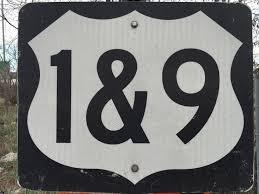
The New Jersey Route 1 & 9 Virtual Challenge Presented by CompuScore
When is The New Jersey Route 1 & 9 Virtual Challenge Presented by CompuScore?
The New Jersey Route 1 & 9 Virtual Challenge Presented by CompuScore takes place on Sunday, February 15, 2026 in Any City - Any State, NJ.
What distances does The New Jersey Route 1 & 9 Virtual Challenge Presented by CompuScore offer?
The New Jersey Route 1 & 9 Virtual Challenge Presented by CompuScore offers 6 events: Route 1 & 9 Corridor: 30 Miles GW Bridge to Woodbridge, Route 1 NJ - 66 Miles GW Bridge to Trenton Bridge, Route 9 NJ - 175 Miles GW Bridge to the Cape May Ferry, The New Jersey Tour - 241 Miles, Trenton Bridge to GW Bridge to Cape May Ferry on both Route 1 & Route 9, Route 1 & 9 Out and Back - 482 Miles GW Bridge to Trenton to GW Bridge to Cape May Ferry to GW Bridge, Route 1 & 9 - RELAY EVENT 482 Miles as a TEAM.
| Event | Distance | Price | |
|---|---|---|---|
| Route 1 & 9 Corridor: 30 Miles GW Bridge to Woodbridge | 30.0 mi | $45.00 | Register |
| Route 1 NJ - 66 Miles GW Bridge to Trenton Bridge | 66.0 mi | $45.00 | Register |
| Route 9 NJ - 175 Miles GW Bridge to the Cape May Ferry | 175.0 mi | $45.00 | Register |
| The New Jersey Tour - 241 Miles, Trenton Bridge to GW Bridge to Cape May Ferry on both Route 1 & Route 9 | 241.0 mi | $45.00 | Register |
| Route 1 & 9 Out and Back - 482 Miles GW Bridge to Trenton to GW Bridge to Cape May Ferry to GW Bridge | 482.0 mi | $45.00 | Register |
| Route 1 & 9 - RELAY EVENT 482 Miles as a TEAM | 482.0 mi | $45.00 | Register |
How much does The New Jersey Route 1 & 9 Virtual Challenge Presented by CompuScore cost?
Registration for The New Jersey Route 1 & 9 Virtual Challenge Presented by CompuScore starts at $40.00. Prices vary by event distance.
Where is The New Jersey Route 1 & 9 Virtual Challenge Presented by CompuScore held?
The New Jersey Route 1 & 9 Virtual Challenge Presented by CompuScore is held in Any City - Any State, NJ at Anywhere you want in the world!.
About The New Jersey Route 1 & 9 Virtual Challenge Presented by CompuScore
You've done the Parkway and the Turnpike, it's time to do NJ's original highway, US Route 1 & 9! Start at the iconic George Washington Bridge and VIRTUALLY travel south along the Route 1 & 9 Corridor to the split in Woodbridge where you can either go to the Trenton Morrisville Bridge or to the Cape May Ferry Line passing some of the best stores, restaurants and small businesses around.
U.S. Route 1 was among the federal highways created in 1926 with the creation of the U.S. Highway System. U.S. 1 was designed to follow the Lincoln Highway between Trenton and Newark and the current alignment of US 1/9 Truck to Jersey City, where it continued to the Holland Tunnel. Today Route 1 and 9 may have changed scenery but they remain icons in the state.
Starts on Feb 15 - May 12 so don't miss out.
Distances to choose from:
30 Miles - Route 1 & 9: George Washington Bridge to Woodbridge
66 Miles - Route 1: George Washington Bridge to Trenton Morrisville Bridge
175 Miles - Route 9: George Washington Bridge to Cape May Ferry Line
241 Miles - The New Jersey Tour: Run the total distance of Route 1 (66 Miles) and Route 9 (175 Miles) combined starting at the Trenton Bridge to GW Bridge to Cape May Ferry
482 Miles - Route 1 & 9 Double: George Washington Bridge to Trenton Morrisville Bridge back to the George Washington Bridge then down Route 9 to the Cape May Ferry Line and Back to the George Washing Bridge.
RELAY TEAM 482 Miles - Compete as a team and combine miles to travel along Route 1 and 9 together and get your total 482 miles as a team!
You will have 86 days from Feb 15 to complete the total miles. You can run or walk anywhere you want, inside or outside as long as you log the miles. You do not have to run or walk each day, you just have to finish the total distance in 86 days. You will be sent a reminder each day to log your distances as well as daily updates with your location and cumulative distance logged. You will also see how you place among the other participants daily.
All Participants will receive a Tshirt and a medal around beginning of June. All mileage must be submitted into the website to record each day or each time you complete a daily mileage. All Relay participants must register individually and will receive 1 shirt and medal each.
**Disclaimer: Please do not run on unsafe roads, or areas that have been closed off to the public. Practice social distancing and any other requirements set forth by local, state and federal guidelines. This is a virtual run only, please do not gather as a crowd in any 1 location at the same time. Shirts and medals will be mailed starting around beginning of June. You will only be able to log the total miles for each event. You will not be able to log additional miles beyond the event distance.
FAQ
Q:Can I be out of state to run this event?
A: Ayone in the world can do this event! We now have an international shipping option for those outside of the USA.
Q: How do I record my miles?
A: you will record your miles on a website. You can do it daily, or you can do it once a week.
Q: Do I have to run or can I walk?
A: you can Run, Walk, Runwalk, any way you can to get the miles. It's your challenge, as long as you are purposefully moving and logging miles, it counts.
Q: Do I have to run/walk outside?
A: You can go outside, inside, on your roof, in your basement, treadmill, or around the house. Any way you can get your miles in, count!
Q: Do my miles count from before the start date of my challenge?
A: No, Only miles you do from the time window of the event count.
Q: Can I run/walk multiple times a day?
A: Yes, breaking your miles up several times a day counts too!
Q: My smart watch calculates my total miles from my steps, can I use those?
A: No, you can't use the total miles in 1 day. You can only count miles with a set start time and stop time.
Q: If I don't finish the challenge, can I switch to a lower distance?
A: Yes, you can switch to a different event, please email us to do this.
Common Trouble Shooting Questions For Recording Miles
Q: I made a mistake on entering my results, how do I change it.
A: In this example, you can go in and overwrite the mistake. Don't just enter it again correctly, you have to overwrite the incorrect data.
Q: I entered my results but I don't see them in the listing.
A: The results take a few minutes to update. If it has been a few minutes, double check you are looking at the correct race. There is a drop down box called Result Set - choose that to switch between events. The default is the boardwalk challenge. If you still don't see your results, see the below post on being anonymous.
Q: My wife/friend/mother/daughter registered me, how do I move that to my account?
A: Here is a link to and article on How to move a sub-account to another user. Follow the section titled: Transfer Sub-Account To Another Existing Account https://help.runsignup.com/support/solutions/articles/17000062878-access-manage-a-sub-account
Q: I am listed as anonymous in the results, why?
A: When you create an account, you have an option to be listed as anonymous in results. If you do not want this, go into your https://runsignup.com profile and click to edit profile. You will see a check box at the bottom that you want to UNCHECK to be listed again.
If you have any other questions, please contact diana@compuscore.com
How to Log Mileage
You will be logging your miles directly into the RunSignUp System. You will get an email with instructions for you to upload directly. If you do not get the email, you can follow the below instructions. You will not be able to enter data until the event starts. If you are having any trouble, please contact: compuscorevirtualchallenge@gmail.com
You Will Start by going to this link and searching for your name: LookUp Participant Link

_______________________________________________________________________________
Once you find your name, Click on the Log Activities Button.

________________________________________________________________________________
Then you will see your activity entry portal.
1.) You can either click on Load Activity from File which can be a gpx or fit file from a smart watch, or you enter the information manually.
2.) The time is the total time (not your pace per mile). Be careful not to enter the minutes in the hours field and vice versa.
3.) The comments section is for your use. We do not monitor that section.
4.) Be very careful on the bottom check box. You only want to check that box if you want to log into your RunSignUp Account each time you log your miles. If you check the box and don’t sign in, you will be locked out!
5.) Don’t forget to click submit when you are done!

_______________________________________________________________________________
Further down the same page, you will see previous entries. If you need to edit or delete any, you can do that from here.

_________________________________________________________________________________
After you hit submit, you will see your activity saved. Please note, it will take 3-5 minutes for the results to update the total in your table. Please be patient. If you need to enter more activities, you can do so as well. Some people prefer to enter after each activity, others enter every few days.

_______________________________________________________________________________
Your Results page will show you all of your activities, as well as your location on the map. Again, these take a few minutes to update after you enter your latest activity.


Medals & Shirts
Huge Custom Medals!
pics to come!
Soft Cotton Shirts
Pics to come
RELAY TEAMS
Create a Relay Team and combine your miles to Run/Walk the tour.
Follow & Tag Us on Social Media
We can't wait to take this journey with you. Don't forget to tag and follow us in your posts!

CompuScore: https://www.facebook.com/CompuScore
CompuScore Virtual Challenges: https://www.facebook.com/compuscorevirtualchallenges

@Compuscore
#CompuScoreVirtualChallenge
#CompuScoreFallTour
#Route1and9Challenge
Discounts and Referrals!
Referrals Individual Events
When you register for an individual event, you will get a link to distribute and gain referrals. If you get 5 people to register using your link, you will get a $10 discount. They must use your link to register or the referral will not count. Spread the word!!
*Referrals can not be combined with other discounts.
Relays
5 Registrants per team get a $5 discount per person, 10 Registrants per team get a $10 discount per person. Once the 5th and 10th person registers, the previous registrants will get a $5 refund.